- Silhouette wins on software and flexibility. Cricut wins on ease of use and retail availability.
- For vinyl and iron-on work, the Cricut Explore 3 is the better buy. For detailed paper crafts and design-heavy work, the Silhouette Cameo 4 pulls ahead.
- Cricut's subscription model adds ongoing costs that Silhouette doesn't require, and that alone might sway your decision.
Why This Comparison Matters
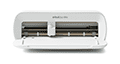
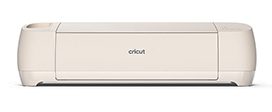
Cricut and Silhouette are the two major players in consumer cutting machines. They've been competing for over a decade, and their current flagship machines (the Cricut Maker 3 and the Silhouette Cameo 4) are closer in capability than ever. But the differences that remain are significant, and they'll affect your wallet and your workflow for years.
Most comparison articles hedge and say “it depends on your needs.” That's useless. We're going to pick winners for specific use cases so you can actually make a decision.
The Machines: Spec by Spec
Cricut Maker 3 ($399)
- Cutting force: 4 kg (4,000 grams)
- Cutting width: Up to 13 inches (with mat), up to 13 inches (Smart Materials, no mat)
- Cutting length: Up to 12 feet (with Smart Materials)
- Speed: 2x faster than Maker (with Smart Materials)
- Compatible tools: Fine-point blade, deep-point blade, bonded fabric blade, rotary blade, knife blade, scoring wheel, debossing tip, engraving tip, foil transfer tool, perforation blade
- Connectivity: Bluetooth only (no USB)
- Materials: 300+ compatible materials
Silhouette Cameo 4 ($299 to $349)
- Cutting force: 5 kg (5,000 grams)
- Cutting width: Up to 12 inches (standard), also available in 15-inch ($349) and 24-inch Plus ($499) models
- Cutting length: Up to 60 feet (with roll feeder)
- Speed: Comparable to Cricut Maker 3
- Compatible tools: AutoBlade, ratchet blade, deep-cut blade, kraft blade, rotary blade, punch tool, embossing tool
- Connectivity: Bluetooth and USB
- Materials: 100+ compatible materials
Quick takeaway on specs: The Cameo 4 has more raw cutting force (5 kg vs. 4 kg), costs $50 to $100 less, and offers USB connectivity that the Maker 3 dropped. The Maker 3 supports more specialty tools and materials, especially with the adaptive tool system. On paper, the Cameo 4 looks like the better value. But specs don't tell the whole story.
Software: This Is Where It Gets Real
The software is the biggest difference between these two brands, and it's the factor that should probably drive your decision more than anything else.
Cricut Design Space
- Price: Free (subscription for design library is optional)
- Platform: Windows, Mac, iOS, Android
- Internet required: Yes, always
- Design capabilities: Basic. Text, shapes, image upload, simple editing. No node editing, no advanced vector tools.
- Learning curve: Low. Most beginners are cutting within 30 minutes.
Silhouette Studio
- Price: Free (Basic edition). Designer Edition upgrade: $49.99. Business Edition: $99.99.
- Platform: Windows, Mac (no mobile app for cutting)
- Internet required: No. Works fully offline.
- Design capabilities: Advanced. Node editing, offset paths, compound paths, layers panel, rhinestone tools, sketch effects. Designer Edition adds SVG import, advanced tracing, and more.
- Learning curve: Moderate to steep. The interface is powerful but takes time to learn.
Winner: Silhouette Studio, by a lot. It's not even close from a design capability standpoint. Silhouette Studio (especially the Designer Edition) is a legitimate design program that rivals basic versions of Illustrator for cut-file creation. You can design complex projects entirely within the software, work offline, and export in multiple formats.
Design Space, by contrast, is more of a “send to printer” interface than a design tool. It's great for beginners who just want to pick a design and cut it. But if you want to create your own complex designs, you'll quickly outgrow it and end up designing in Inkscape or Illustrator, then importing into Design Space just to send the cut.
The internet requirement for Design Space is also a genuine pain point. If your WiFi drops, you can't cut. Silhouette Studio works entirely offline once installed.
Materials and Blades
Cricut claims 300+ compatible materials versus Silhouette's 100+. But that number is a bit misleading. Both machines can cut the same core materials: vinyl, HTV/iron-on, cardstock, paper, fabric (with stabilizer), faux leather, sticker paper, and more. The difference is mostly in Cricut's specialty tools.
The Maker 3's knife blade can cut materials up to 2.4mm thick, including balsa wood, chipboard, and heavy leather. The Cameo 4 can handle some of these with its kraft blade, but the Maker 3 does it more reliably and with less fuss.
The Maker 3's rotary blade is also a genuine advantage for fabric cutters. It cuts unbonded fabric (no stabilizer needed), which is a huge deal for quilters. The Cameo 4's rotary blade exists, but it's an add-on that doesn't get the same praise for fabric performance.
Winner: Cricut Maker 3 for material versatility. If you're sticking to vinyl, HTV, and paper, the machines are essentially equal. But if you want to cut thick or specialty materials, the Maker 3's tool ecosystem is clearly better.
Ongoing Costs and the Subscription Question
This is where Cricut's business model becomes a real factor. Cricut heavily pushes the Access subscription ($7.99 to $13.99/month), and while it's optional, the experience without it feels noticeably limited. You can upload your own designs for free, but the built-in library is locked behind the paywall.
Silhouette takes a different approach. The Silhouette Design Store sells individual designs for $0.99 to $4.99 each, and there's no subscription required. Silhouette Studio also natively imports SVG files in the free version (Cricut requires you to upload SVGs through Design Space, which works but adds steps). The Designer Edition upgrade ($49.99 one-time) adds even more import and design options.
Let's do the math over three years:
- Cricut Maker 3 + Access Standard: $399 + ($96 x 3) = $687
- Silhouette Cameo 4 + Designer Edition: $299 + $50 = $349
That's a $338 difference over three years. And the Silhouette setup gives you a more powerful design program with a one-time cost instead of recurring fees. Both scenarios assume you're using third-party materials (which you should be, regardless of brand).
Winner: Silhouette, decisively. The subscription-free model saves real money over time.
Ease of Use and Learning Curve
Cricut is easier to start with. Period. Design Space is simpler, the setup process is more guided, and the sheer volume of beginner tutorials (on YouTube, Facebook, and Cricut's own site) makes it possible to go from unboxing to first project in under an hour.
Silhouette's learning curve is steeper. The software has more options, which means more things to figure out. The interface isn't as modern-looking. And the community, while active, is smaller than Cricut's. Finding answers to specific problems takes a bit more digging.
But here's the counterpoint: Cricut's simplicity becomes a limitation as you grow. Crafters who start with Cricut and get serious about design often hit a ceiling with Design Space and wish they'd learned Silhouette Studio from the start. The steeper learning curve pays dividends six months in.
Winner: Cricut for beginners. Silhouette for anyone willing to invest a weekend in learning the software.
Connectivity and Reliability
The Cricut Maker 3 dropped USB connectivity entirely. It's Bluetooth only. That works fine for most people, but Bluetooth connections can be flaky, especially with older computers or in spaces with lots of wireless interference. When your Bluetooth drops mid-cut, you lose the project.
The Cameo 4 offers both Bluetooth and USB. The USB connection is rock-solid and eliminates wireless issues completely. For production work or anyone who's been burned by Bluetooth drops, having USB as a backup is genuinely valuable.
Winner: Silhouette. Having both connection options is strictly better than having only one.
Community and Retail Availability
Cricut dominates retail. You'll find Cricut machines, materials, and accessories at Michaels, JOANN, Hobby Lobby, Target, Walmart, and Amazon. Silhouette machines are available online and at some craft stores, but the in-store presence is significantly smaller.
The Cricut community is also larger. More Facebook groups, more YouTube creators, more blogs, more project inspiration. If you're the kind of crafter who learns by watching someone else do it first, Cricut's content ecosystem is unmatched.
Silhouette's community is passionate and knowledgeable, but it's a fraction of Cricut's size. You'll find great resources, but you might have to look harder for answers to niche questions.
Winner: Cricut. The retail availability and community size matter, especially for beginners.
Head-to-Head: Who Wins Each Use Case
Best for vinyl decals and car stickers: Tie. Both handle vinyl cutting equally well. Pick based on software preference.
Best for T-shirts and iron-on/HTV: Cricut Explore 3. The HTV workflow in Design Space is slightly more intuitive, and Cricut's iron-on material selection is wider at retail stores.
Best for paper crafts and scrapbooking: Silhouette Cameo 4. The software's precision tools, offset capabilities, and Print and Cut accuracy give it the edge for intricate paper work.
Best for fabric and quilting: Cricut Maker 3. The rotary blade for unbonded fabric is a genuine differentiator. Nothing in Silhouette's lineup matches it.
Best for thick materials (wood, leather, chipboard): Cricut Maker 3. The knife blade and adaptive tool system handle thick materials more reliably.
Best for small business/production: Silhouette Cameo 4. The USB connectivity, offline software, no subscription costs, and ability to use the 15-inch or 24-inch models for larger projects make it more practical for volume work.
Best for absolute beginners: Cricut Explore 3. The learning curve is gentler, the community is bigger, and you can pick up supplies at any craft store.
Best overall value: Silhouette Cameo 4. Lower machine cost, no subscription fees, more powerful free software, and USB connectivity. You're paying less and getting more flexibility.
What About Brother ScanNCut?
Brother's ScanNCut line (the DX2 series, priced around $300 to $400) deserves a brief mention. Its standout feature is a built-in scanner that lets you scan hand-drawn designs and cut them directly, no computer needed. It also works without any subscription or software requirement for basic cuts.
But the ScanNCut community is tiny compared to Cricut and Silhouette. Finding tutorials, troubleshooting help, and compatible third-party accessories is harder. The software (Canvas Workspace) is functional but not impressive. And retail availability is limited to Amazon and a few specialty stores.
The ScanNCut is a solid machine for a specific niche: crafters who want to hand-draw designs and cut them without touching a computer. For everyone else, Cricut or Silhouette is the better choice.
The bottom line
Cricut and Silhouette are both capable machines that can handle the vast majority of home crafting projects. The real differences come down to software, ongoing costs, and your comfort level with technology. Cricut holds your hand and makes it easy. Silhouette gives you more power and charges you less over time.
If you're brand new to cutting machines and want the smoothest possible start, buy a Cricut Explore 3. You'll be up and running fast, and the community will support you through every stumble. If you're comfortable learning new software, want to avoid subscription fees, and value design flexibility, the Silhouette Cameo 4 is the smarter long-term investment.
For most crafters, the Silhouette Cameo 4 is the better value. But the Cricut Maker 3 is the better machine for fabric and thick materials. Pick based on what you'll actually cut, not on which brand has better marketing.